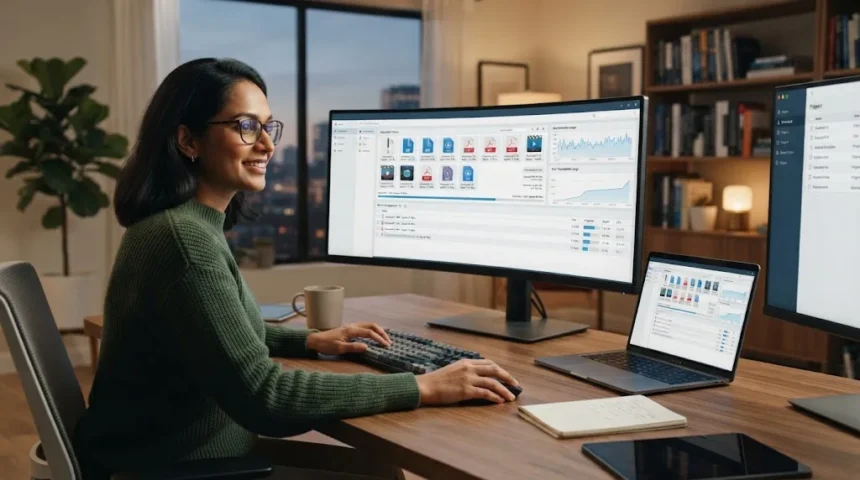
Modern browsers can handle basic downloads, but they are not always ideal for large files, unstable connections, or several downloads running at once. A dedicated download manager gives you more control over speed, scheduling, pausing, resuming, and organizing files. This can be especially useful when downloading software packages, videos, archives, operating system images, or other large resources.
Many download managers split supported files into multiple segments and download those parts simultaneously. This approach can use available bandwidth more efficiently when the server permits multiple connections. However, no software can magically exceed the limits of your internet plan, the remote server, or network congestion, so claims of huge speed increases should always be treated as maximum possibilities rather than guarantees.
Another major benefit is recovery from interrupted transfers. If your connection drops halfway through a large file, a good download manager may continue from where it stopped instead of restarting the entire download. Scheduling, bandwidth controls, automatic organization, and browser integration can also make downloading considerably easier for people who regularly handle many files.
What to Look for in the Best Download Manager
Start with reliable pause and resume support because interrupted downloads are one of the main reasons to use dedicated software. Browser integration is also helpful because it allows the manager to automatically capture supported links when you click them. Look for clear progress information, easy queue management, speed controls, and automatic organization if you frequently download several files together.
Platform compatibility should influence your decision. Some download managers are focused primarily on Windows, while others support Windows, macOS, and Linux. If you work across several computers, choosing a cross-platform application can provide a more consistent experience and prevent you from learning a completely different download workflow whenever you change devices.
Pay attention to safety as well as speed. Download managers should come from their official developers, receive updates, and avoid unnecessary bundled software whenever possible. Advanced users may also care about BitTorrent support, proxy settings, batch downloading, browser extensions, scheduler functions, automatic extraction, and the ability to limit bandwidth while other applications are using the connection.
Internet Download Manager: Best for Windows Power Users
Internet Download Manager, usually called IDM, remains one of the most established options for Windows users who frequently download large files. It uses dynamic segmentation to divide supported downloads into sections while the transfer is running. IDM also includes resume functionality, allowing interrupted downloads to continue when the source server supports resuming.
Browser integration is one of IDM’s strongest practical features. It can capture supported downloads from compatible browsers and send them directly into its download queue. Users can also organize files by category, create scheduled queues, set bandwidth-related limits, and configure the program to perform certain actions after downloads finish.
IDM is a paid application, so it makes the most sense for people who regularly use its advanced controls rather than someone who downloads a few small files each month. Its interface may look more traditional than newer alternatives, but the underlying workflow remains efficient. Windows users wanting strong browser integration, scheduling, queues, and recovery features may find the cost worthwhile.
Free Download Manager: Best Free All-Round Option
Free Download Manager is a strong choice for users who want a capable downloader without paying for a license. It supports Windows, macOS, Linux, and Android, making it more flexible across platforms than many Windows-focused alternatives. The software includes download acceleration, resume support, scheduling, file organization, traffic controls, and BitTorrent functionality.
Its download acceleration works by splitting supported files into several sections and downloading them simultaneously. Users can also adjust traffic usage so large transfers do not consume every bit of available bandwidth while they browse, stream, or work online. The built-in scheduler is useful when you want large downloads to start later, such as overnight or during less busy network hours.
Free Download Manager is particularly appealing to users who want one application for both normal files and torrent downloads. Its modern interface is easier to approach than many older utilities, while still offering controls experienced users expect. For students, home users, and professionals who want strong everyday downloading features without subscription costs, FDM is an excellent place to start.
JDownloader 2: Best for Managing Large Download Queues
JDownloader 2 is designed for people who regularly manage many downloads rather than just individual files. It can start, stop, pause, and organize transfers while allowing users to control bandwidth usage. The program also supports automatic archive extraction, which can save time when large downloads arrive as compressed packages that would otherwise need to be unpacked manually.
One of JDownloader’s biggest strengths is its extensible approach. It can handle complicated download workflows and is particularly popular among users who deal with batches of links or services that require more management than a normal browser provides. Windows, macOS, Linux, and even certain NAS environments are supported, making it useful across very different setups.
That flexibility also means the interface can feel more complicated than simple download managers. Someone who only wants faster downloads from ordinary websites may find FDM or IDM easier to understand initially. JDownloader becomes more valuable when you regularly process large collections of links, need queue control, or want automation that reduces repetitive downloading tasks.
Motrix: Best Open-Source Option for Multiple Platforms
Motrix is a modern download manager available for Windows, macOS, and Linux. It supports common download methods including HTTP, FTP, BitTorrent, magnet links, and Metalink within one application. Users can start, pause, resume, retry, prioritize, and monitor tasks from a clean interface rather than managing each protocol through different software.
The software takes a local-first approach and does not require an account for normal operation. Browser handoff is available through supported extensions, and plugins can add additional functionality when needed. Users can also apply speed limits so large transfers do not overwhelm their internet connection while other devices or applications require bandwidth.
Motrix is especially attractive for users who value open-source software and a clean interface. It does not attempt to bury basic downloading beneath a complicated dashboard, yet it provides enough protocol support for advanced users. People moving between Windows, Mac, and Linux may particularly appreciate having a similar download workflow across all three systems.
Xtreme Download Manager: Best Free Alternative for Browser Integration
Xtreme Download Manager, commonly known as XDM, is a free download accelerator designed to integrate with major Chromium- and Firefox-based browsers. It can capture downloads, resume interrupted transfers, schedule files, and manage several downloads from one application. Its developer also emphasizes segmented downloading as a way to improve transfer speed when the source server and connection allow it.
XDM also includes support for detecting certain streaming media and provides conversion features for downloaded video files. Those capabilities can make it appealing to users who want more than a basic file downloader. However, website restrictions, encryption methods, and platform rules can prevent media detection, so users should not assume every online video can or should be downloaded.
For general file transfers, the biggest attractions are cost and browser integration. XDM can suit users who want many of IDM’s familiar concepts without paying for a commercial license. Because software projects can change over time, it is sensible to check current compatibility with your browser and operating system before making it the center of your downloading workflow.
Best Download Managers for Windows, Mac, and Linux
Windows users have the broadest selection. IDM is particularly strong for users willing to pay for polished browser integration and advanced download controls, while Free Download Manager provides a capable free alternative. JDownloader, Motrix, and XDM offer additional choices depending on whether your priority is automation, open-source software, protocol support, or managing large collections of links.
Mac users have fewer traditional download accelerators, but Free Download Manager, JDownloader, and Motrix all provide useful options. Motrix is particularly attractive when you want a clean native-style interface and support for regular files alongside torrents. JDownloader may be better when your workflow involves complicated queues, archives, or larger numbers of links rather than individual downloads.
Linux users can also consider FDM, JDownloader, and Motrix. Your ideal choice depends on whether you prefer simplicity, extensive automation, or broader protocol support. Instead of choosing entirely based on theoretical speed, test how each application handles the actual websites, file sizes, and download patterns you regularly encounter.
Can Download Managers Really Make Downloads Faster?
A download manager can sometimes improve transfer performance by opening several connections to supported servers and downloading different parts of the same file simultaneously. This can help when a single connection is not fully using your available bandwidth. IDM and FDM both use segmented approaches designed to take better advantage of available connection capacity.
The improvement varies considerably from one download to another. A server may limit connection speed, prevent multiple segments, or restrict how many simultaneous requests one user can make. Your internet service, Wi-Fi quality, VPN, network congestion, storage drive, and other devices using the connection can also influence how quickly a large file reaches your computer.
Think of download managers as optimization and management tools rather than internet-speed generators. Their greatest practical benefits are often reliable resume functionality, better organization, scheduling, queues, and bandwidth control rather than dramatic speed increases. Even when a file downloads at the same maximum rate as your browser, better interruption recovery can save considerable time.
How to Get Better Download Speeds Safely
Begin by checking your actual internet connection before changing software. If every download is slow, run a legitimate speed test, restart problematic network equipment, and check whether other devices are heavily using the connection. Switching from weak Wi-Fi to Ethernet or moving closer to your router can sometimes improve download stability more than installing another accelerator.
Use sensible connection settings inside your download manager. Opening an excessive number of segments can actually cause problems if a website limits simultaneous connections or temporarily blocks aggressive requests. Start with the software’s recommended settings and adjust only when necessary rather than assuming that the highest number of connections will always produce the fastest result.
After downloading large archives, good file compression tools can help you extract and manage ZIP, RAR, 7z, and similar packages efficiently. Keeping large downloaded files organized also makes it easier to remove installers and archives you no longer need, preventing your storage drive from filling unnecessarily over time.
How to Download Files More Safely
A faster download is not useful if the file itself is malicious. Download software, documents, installers, and media from trusted sources whenever possible, and be cautious with unfamiliar mirrors or shortened links. A download manager only transfers the file; it does not guarantee that the source is legitimate or that the content is safe to open.
Keep your operating system, browser, download manager, and security software updated. Be particularly cautious with executable files such as EXE, MSI, scripts, and unknown installers because they can make significant changes to your computer. If a download appears unexpectedly or its filename does not match what you intended to obtain, verify the source before opening it.
Avoid unofficial modified versions of popular download managers that promise cracked licenses or extra premium functionality. Those packages may contain unwanted software or malware. Download the application from the developer’s official source, review installation options carefully, and never disable security protections simply because an unknown file refuses to run.
How to Choose the Best Download Manager for You
Start with the type of files you normally download. If you mainly download software installers, documents, and archives on Windows, IDM or FDM may be enough. If you frequently manage many links, JDownloader offers stronger queue-oriented functionality, while Motrix is useful when you want one clean application for normal downloads, torrents, and magnet links across multiple operating systems.
Next, consider how frequently you will use advanced features. Scheduling, traffic limits, browser capture, automatic archive extraction, and batch processing can save substantial time for heavy users but provide little value to someone who downloads only occasionally. Choosing a simpler application can reduce clutter and make everyday downloads easier to understand and manage.
Finally, test the software with several legitimate large files before settling on one option. Compare reliability, browser integration, interface clarity, pause and resume behavior, and how much control you have over bandwidth. The best download manager is not necessarily the one promising the largest speed multiplier; it is the one that makes your real downloads faster, more reliable, and easier to organize.
Conclusion
The best download managers for faster downloads include Internet Download Manager, Free Download Manager, JDownloader 2, Motrix, and Xtreme Download Manager. IDM is particularly strong for Windows users, while FDM provides an excellent free all-round option. JDownloader is better suited to complex queues, and Motrix offers a clean open-source experience across major desktop operating systems.
Remember that download speed depends on more than the application itself. Your internet connection, Wi-Fi quality, remote server, connection limits, VPN, storage performance, and network congestion all affect transfer rates. Download managers can optimize supported transfers, but their resume, scheduling, queue, and organizational features are often equally valuable.
Choose software according to your actual workflow instead of chasing unrealistic speed claims. Test how well each application integrates with your browser, handles interruptions, and organizes large files. A reliable download manager should make transfers easier to control while staying out of your way when everything is working normally.
FAQs
What is the best download manager for faster downloads?
IDM is a strong paid option for Windows, while Free Download Manager is an excellent free choice. JDownloader and Motrix are better suited to users who need additional queue or protocol flexibility.
Can a download manager increase internet speed?
A download manager cannot increase the maximum speed of your internet plan. It may improve individual transfers by using multiple connections more efficiently when the remote server supports segmented downloading.
What is the best free download manager?
Free Download Manager is a strong all-around free choice with segmented downloads, resume support, scheduling, traffic controls, BitTorrent support, and availability across several operating systems.
Is Internet Download Manager better than Free Download Manager?
IDM offers polished Windows-focused browser integration and advanced controls, while FDM is free and cross-platform. The better choice depends on your operating system, budget, and preferred download workflow.
Are download managers safe to use?
Reputable download managers are generally safe when obtained from their official developers. The files you download can still be dangerous, so verify sources and keep your operating system and security tools updated.