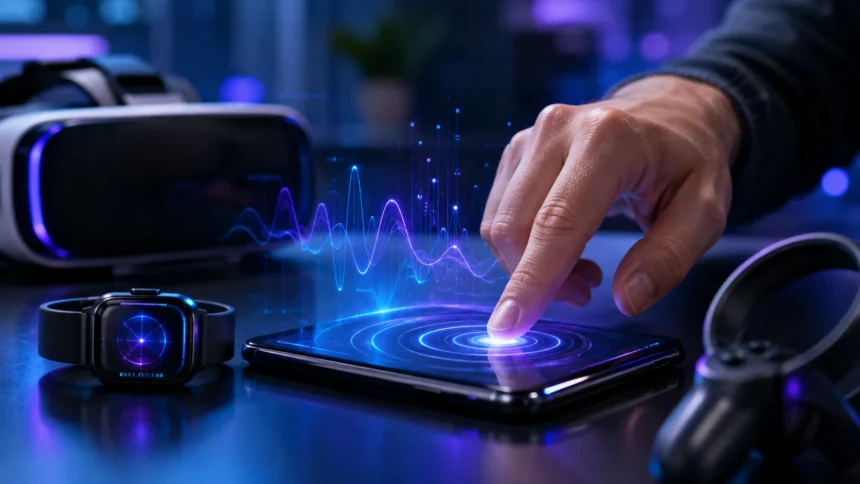
Haptics Meaning: How Haptic Technology Works
Haptics refers to technology that communicates information through the sense of touch. When a smartphone vibrates after you tap a virtual button, a game controller pushes back during an impact, or a smartwatch produces a subtle pulse on your wrist, you are experiencing haptic feedback. Haptic technology can create vibrations, forces, movements, textures, or other tactile sensations that make digital interactions feel more physical and responsive. It is widely used in smartphones, wearables, gaming controllers, vehicles, virtual reality systems, medical devices, and industrial equipment. As interfaces become increasingly digital, haptics helps replace some of the physical feedback that traditional buttons, switches, and mechanical controls naturally provide.
Understanding the haptics meaning is especially useful because the term covers far more than ordinary phone vibration. Advanced haptic systems can simulate resistance, surface textures, clicks, impacts, and directional cues, allowing users to receive information without constantly looking at a screen. Engineers can create these effects using vibration motors, linear resonant actuators, piezoelectric components, force-feedback mechanisms, ultrasound, and other technologies. Haptics can improve usability, immersion, accessibility, safety, and realism when implemented carefully. This guide explains what haptics means, how haptic technology works, major types of haptic feedback, common examples, benefits, limitations, and how the technology is evolving across modern devices.
What Does Haptics Mean?
The word haptics refers to technologies and interactions involving the human sense of touch. In practical terms, haptic technology creates a physical sensation that communicates something to a user through their skin, muscles, or sense of movement. A short vibration may confirm that a touchscreen button was pressed, while stronger resistance in a controller can simulate pulling a heavy object. The technology acts as another communication channel between humans and machines alongside sight and sound. Instead of relying only on graphics or audio, an interface can physically respond to the user’s action, making digital controls feel more immediate and easier to understand.
Haptic feedback is often confused with vibration because vibration is the most common form people experience on phones and wearables. However, vibration is only one category of tactile feedback. Haptic systems can also create pressure, resistance, movement, pulses, clicks, texture-like sensations, and changing force. A steering wheel can resist turning to communicate road conditions, while a gaming trigger can become harder to press when a virtual weapon requires more effort. These examples demonstrate that haptics is about intentionally designed touch sensations rather than simply making a device shake whenever something happens.
The term can also describe the science of how humans perceive and interact with objects through touch. The human haptic system combines information from the skin with signals from muscles, joints, and movement to understand characteristics such as texture, shape, pressure, weight, and resistance. When engineers design haptic interfaces, they attempt to reproduce or manipulate some of these sensations electronically or mechanically. This is difficult because real-world touch is extremely complex and involves many receptors working simultaneously. A convincing digital texture may therefore require precise timing, force, frequency, and movement rather than one simple vibration.
Haptics is particularly important in digital interfaces because flat screens remove many physical cues people naturally use. A mechanical keyboard key moves and stops when pressed, while a traditional switch changes position and often produces a click. A glass touchscreen does neither unless software and hardware provide additional feedback. Haptic technology can restore part of that missing physical response by creating a small pulse exactly when the user taps a button or changes a setting. The sensation confirms the action without requiring the person to stare continuously at the screen, making touch interfaces feel more responsive and less abstract.
The simplest definition is that haptics means using touch sensations to communicate information or create a more realistic interaction with technology. Those sensations can be subtle, such as the tiny confirmation pulse from a smartphone keyboard, or powerful, such as force feedback in an industrial simulator. The specific implementation depends on the device, purpose, power limits, and level of realism required. Haptic feedback works best when the physical sensation has a clear relationship with what is happening on the screen or in the environment. Random vibration adds little value, while carefully designed touch feedback can make interactions feel natural and informative.
How Does Haptic Technology Work?
Haptic technology works by converting digital instructions into controlled physical movement or force that the human body can feel. Software first determines when a haptic event should occur, such as after a button press, game collision, navigation instruction, or warning. The device then sends an electrical signal to a haptic actuator or mechanical component. That component moves, vibrates, resists, or changes pressure according to the requested pattern. The user’s skin, fingers, hand, or body senses the resulting physical change and interprets it as feedback. The entire process may happen within milliseconds, which is important because delayed haptics can make an interaction feel disconnected from the visual event.
An actuator is the component responsible for creating the physical sensation in many haptic devices. Traditional phones often used eccentric rotating mass motors, which contain an off-center weight that creates vibration as the motor spins. Newer devices frequently use linear resonant actuators that move a small mass back and forth quickly along one axis. These actuators can start and stop more precisely, allowing software to create sharper clicks, taps, and pulses instead of one long buzzing sensation. Better control over timing and intensity makes modern haptic feedback feel more deliberate and gives designers a larger vocabulary of physical effects.
Piezoelectric actuators provide another method for generating haptic sensations. These components use materials that physically change shape when an electrical voltage is applied. Because they can respond very quickly, piezoelectric systems can create short, precise movements and may be used in touch surfaces, controls, and other interfaces requiring detailed tactile feedback. Some systems can manipulate friction or surface vibration so a flat panel feels different as a user’s finger moves across it. The user is still touching a smooth surface, but carefully controlled movement changes how the skin perceives contact, creating the impression of texture or mechanical structure.
Force-feedback haptics work differently because they actively resist or guide movement rather than merely vibrating. A racing wheel can apply torque against the driver’s hands, while a robotic training system can push back against a user’s motion. Gaming triggers may change their resistance according to what is happening inside the game. These systems commonly use motors, gears, electromagnetic mechanisms, or other actuators capable of generating controlled force. Force feedback can create a stronger sense of physical interaction because the user’s own movement is directly affected. This makes it particularly valuable in simulations, gaming, robotics, medical training, and virtual reality.
Software plays an equally important role because the actuator alone does not determine whether haptics feels realistic. Developers specify timing, duration, intensity, frequency, repetition, and synchronization with visual or audio events. A button tap may need a tiny sharp pulse, while an incoming message might use a longer pattern. In a game, different surfaces or impacts can produce distinct sensations so players recognize events through touch. Poorly timed or overly strong feedback can become distracting, while carefully synchronized haptics can make a digital event feel almost instantaneous. Effective haptic design therefore requires both capable hardware and thoughtful software behavior.
Main Types of Haptic Feedback
Vibrotactile feedback is the most familiar type of haptic technology. It uses vibrations to communicate information through the skin and appears in smartphones, wearables, controllers, touchpads, and many other devices. Different vibration patterns can represent different events, such as notifications, successful actions, errors, alarms, or navigation turns. Modern actuators allow devices to create short taps and textured pulses instead of one generic buzzing pattern. This improves communication because users can sometimes identify an event without looking at the screen. Vibrotactile feedback is popular because the hardware can be relatively compact, energy-efficient, and easy to integrate into portable electronics.
Force feedback creates physical resistance or movement that directly affects the user’s actions. Racing wheels are classic examples because the steering system can push against the player’s hands when the virtual car turns, loses grip, or drives over rough terrain. Flight simulators can similarly change joystick resistance according to simulated aircraft conditions. Industrial robotic controls may generate resistance when equipment approaches a restricted position. Force feedback typically requires stronger actuators and more mechanical structure than basic vibration, making it more suitable for controllers, simulators, and equipment rather than very thin devices where space and battery capacity are limited.
Tactile surface feedback changes how a surface feels when touched. A flat touchscreen can create the impression of a click, ridge, button, or textured area even though the physical glass remains relatively smooth. Some systems achieve this through tiny vibrations, while others manipulate friction or use electrostatic effects to change resistance between the finger and surface. This type of haptics can make touchscreen controls easier to locate and distinguish without constantly watching them. It has potential applications in vehicles, accessibility tools, smartphones, kiosks, and industrial interfaces where designers want the flexibility of a digital screen without completely losing tactile cues.
Kinesthetic haptics interacts with the user’s sense of movement, position, and force through muscles and joints. Instead of creating sensations only on the skin, the technology affects how the hand, arm, or body moves. Robotic exoskeletons, rehabilitation devices, surgical simulators, and advanced VR controllers can use kinesthetic feedback to guide or resist motion. A training device might prevent a user from moving beyond a virtual boundary, while a rehabilitation system could assist movement along a controlled path. These systems can provide highly informative feedback because they influence the body’s physical motion rather than relying solely on surface-level vibration.
Emerging haptic systems can also create mid-air touch sensations without requiring direct contact with a physical surface. Arrays of ultrasonic transducers can focus acoustic energy at points above a device, producing pressure that users can feel on their skin. Researchers and developers have explored this technology for virtual controls, automotive interfaces, accessibility, immersive displays, and public kiosks. Other experimental approaches use airflow, electrical stimulation, temperature changes, or wearable arrays to create different tactile effects. These systems are less common than conventional vibration today, but they demonstrate how haptics is expanding beyond devices that simply shake inside the user’s hand.
Haptics in Smartphones and Wearable Devices
Smartphones are where most people encounter haptics every day. When you type on a virtual keyboard, long-press an icon, adjust a control, unlock the phone, or receive a notification, the device may generate a short physical pulse. These effects help compensate for the absence of moving keys and switches on a glass display. A well-designed tap can make a virtual control feel as though it has physically responded, even though the screen barely moves. Modern smartphones use increasingly precise actuators so different interactions can produce noticeably different tactile patterns instead of sharing one generic vibration.
Typing is a particularly useful smartphone haptic example because a virtual keyboard provides no natural mechanical feedback. Without visual attention, users may find it difficult to know whether a key press registered. A small haptic pulse can provide confirmation every time the finger touches a key, approximating some of the response offered by physical keyboards. The sensation does not physically recreate key travel, but it gives the brain another signal that the input occurred. Users can often adjust or disable keyboard haptics because preferences differ, and continuous feedback can consume additional battery power depending on device behavior.
Wearables use haptics especially effectively because visual and audio interfaces are limited. A smartwatch can tap the wrist to announce an incoming message, timer, fitness milestone, or navigation instruction without requiring the user to pull out a phone. Different patterns can represent different events, allowing notifications to remain subtle in meetings, public places, or noisy environments. Navigation apps can use distinct left-turn and right-turn patterns so a pedestrian follows directions with fewer glances at the display. Because the device remains in direct contact with the body, even small haptic movements can be noticeable.
Fitness and health-focused wearables can use haptic cues to support behavior without relying constantly on screens. A device might pulse when a workout interval ends, remind the wearer to move after a long period of inactivity, or confirm that a goal has been reached. Haptic feedback can also guide breathing exercises by providing rhythmic pulses that users follow without looking at the display. The effectiveness depends on keeping patterns simple enough to learn. If every event uses similar vibration, users may stop recognizing what each pattern means and simply perceive all haptics as generic alerts.
Battery efficiency remains an important consideration for mobile haptics. Strong vibration requires physical movement, which consumes energy, while precise actuators and sophisticated patterns require careful hardware design. Manufacturers therefore balance tactile strength with battery life, thickness, cost, and available internal space. Users can often reduce or disable system haptics when they prefer longer battery life or find vibration distracting. The best mobile implementation is subtle enough that it supports interaction without drawing unnecessary attention. Haptics should feel like part of the interface rather than an additional effect layered on top of every possible action.
Haptic Technology in Gaming and Virtual Reality
Gaming is one of the most visible areas where haptic technology creates immersion. Traditional game controllers use vibration motors to simulate explosions, collisions, weapon recoil, road surfaces, and other events. Modern controllers can create more detailed feedback patterns and vary strength across different parts of the device. A player may feel a sharp impact when a virtual object strikes the character or a repeated pulse as a vehicle crosses rough terrain. These sensations add another sensory channel to the experience, making events feel more immediate than they would through graphics and sound alone.
Adaptive triggers extend haptic feedback by changing how much resistance players feel when pressing controller buttons. A trigger might feel light when using one virtual tool and become much harder to pull when using another. Games can also simulate tension increasing gradually, creating the sensation of drawing a bowstring or pressing a resistant mechanical control. Because the user’s finger must physically respond to changing force, the interaction feels more connected with the on-screen action. Developers need to use these effects carefully, however, because excessive resistance can cause fatigue or become annoying during frequently repeated actions.
Virtual reality makes haptics even more important because users expect to interact physically with objects they can see around them. Without touch feedback, grabbing a virtual object can feel strange because the hand closes around empty air while the visual system suggests contact has occurred. VR controllers can vibrate when the user’s virtual hand touches an object, while advanced gloves can provide force or pressure to individual fingers. These systems attempt to reduce the gap between what users see and what their bodies feel. The closer the timing and physical sensation match the virtual event, the more convincing the interaction can become.
Haptic vests, suits, and wearable accessories extend feedback across larger areas of the body. A vest may contain arrays of actuators that create pulses on the chest or back when something happens in a virtual environment. Training simulators can use similar technology to indicate where contact occurred or guide a user’s movement. Haptic gloves may create vibrations on individual fingertips or mechanically resist finger motion when the user holds a virtual object. These systems remain more expensive and specialized than ordinary controllers, but they demonstrate how immersive computing can involve the whole body rather than only the hands.
Haptics also improves gaming accessibility and communication. Players may use vibration patterns to recognize warnings or directional cues that would otherwise be communicated only through sound. Developers can allow haptic intensity to be adjusted or disabled for people who find strong feedback uncomfortable. Careful design can make gameplay information available through multiple senses, reducing dependence on one interface channel. However, haptics should complement rather than replace essential visual or audio information unless the application is deliberately designed around touch. Inclusive game design provides users with choices so physical feedback enhances the experience without becoming a barrier.
Haptics in Cars, Medical Devices and Other Industries
Modern vehicles increasingly use haptics to communicate warnings and improve control interfaces. A steering wheel may vibrate when the vehicle approaches a lane boundary, while a seat can create directional pulses to alert the driver to a nearby hazard. Touchscreen controls can provide tactile confirmation when a setting is changed, helping reduce uncertainty associated with flat displays. Haptic feedback can be particularly valuable in vehicles because drivers should minimize the amount of time spent looking away from the road. A physical cue can communicate information quickly, although automotive interfaces still need clear visual and audio support for important warnings.
Touch-sensitive dashboards and steering-wheel controls can also use haptics to make digital buttons feel more deliberate. One problem with smooth capacitive controls is that drivers may accidentally activate them without realizing it. A short haptic response can confirm that a control actually registered an intentional press. More advanced systems can vary resistance or provide localized feedback so neighboring controls feel different. Designers need to test these systems carefully because excessive vibration can become distracting, while weak feedback may be impossible to notice during driving. The goal is to restore useful tactile information without recreating unnecessary mechanical complexity.
Medical training is another important application. Surgical simulators can use force feedback to help trainees experience differences between tissue types, resistance, instruments, and procedural actions before working with real patients. A training device may resist movement when the virtual instrument contacts a structure, helping learners develop fine motor control. Haptic feedback can complement visual simulations by giving users information about force and touch that a screen alone cannot communicate. Rehabilitation equipment can similarly guide patient movement, provide resistance, or signal whether exercises are being performed within the intended range.
Robotics and teleoperation also benefit from haptic feedback. An operator controlling a remote robotic arm may receive force information about what the robot is touching, allowing more delicate manipulation. This can be useful in hazardous environments, laboratories, manufacturing, underwater operations, or other places where direct human presence is difficult. Haptics helps close the loop between remote action and physical sensation so the operator does not rely entirely on cameras. Advanced systems can communicate pressure, resistance, or contact events through specialized controllers, improving the operator’s awareness of conditions at the remote location.
Industrial interfaces use haptics for confirmation and safety as well. Operators wearing gloves or working in loud environments may not easily see or hear every notification, making tactile alerts valuable. A handheld tool can vibrate when a measurement reaches a threshold, while a wearable device can guide workers toward or away from particular areas. Haptic controls can also confirm actions on touch panels where physical buttons have been replaced. The technology becomes particularly useful when workers need to keep their eyes on machinery or surrounding hazards. In such settings, tactile feedback acts as an additional information channel rather than simply an entertainment feature.
Benefits of Haptic Technology
One major benefit of haptic technology is clearer interaction feedback. When users press a digital button and immediately feel a small response, they know the system registered the action. This reduces uncertainty and can prevent repeated taps caused by wondering whether a control worked. The effect is particularly important on touchscreens, where there is otherwise little physical distinction between pressing a button and touching an empty area. Haptics can make a digital interface feel more responsive even when the underlying software takes the same amount of time to process the action. Perceived responsiveness strongly influences how polished and intuitive a product feels.
Haptics can also reduce visual dependence. A smartwatch can communicate navigation turns through wrist taps, while a vehicle can warn the driver about lane departure through the steering wheel. Users receive information without constantly watching a screen, which can improve convenience and, in some settings, safety. This benefit is especially useful for wearables and mobile devices because their displays are small and users frequently interact while walking, exercising, or performing other activities. Touch feedback becomes another communication channel that can carry simple information without interrupting the user’s visual attention.
Immersion is another major advantage, especially in gaming, VR, training, and simulation. A digital environment feels more convincing when the user can physically sense impacts, resistance, textures, or events that match what they see. Audio and graphics tell the brain what is happening, while haptics provides a related physical cue. The combination can make interactions feel more immediate and memorable. Realism does not always require powerful force; subtle vibrations synchronized precisely with small events can sometimes be more convincing than exaggerated effects. Good haptic design focuses on matching sensation with context rather than maximizing intensity.
Accessibility can also improve when information is presented through touch in addition to sight and sound. A user who cannot hear a notification can feel a vibration, while someone who wants to avoid looking at a display can recognize distinct haptic patterns. Interfaces can provide different patterns for errors, confirmations, navigation, or alerts, giving users another way to understand system state. Haptics should be adjustable because people differ in sensitivity and comfort. Inclusive interfaces provide multiple sensory options rather than assuming everyone experiences touch feedback in exactly the same way.
Finally, haptics can strengthen the emotional character of a product. A sharp mechanical-feeling click can make a device seem precise, while a softer pulse can make an alert feel less intrusive. Designers increasingly treat haptic patterns almost like sounds or animations, using them to establish a consistent interaction style. This can improve product quality when the effects are subtle and predictable. Overuse creates the opposite result because constant vibration becomes tiring or irritating. The strongest haptic systems are selective, using touch only when it communicates something meaningful or improves the user’s relationship with the interface.
Limitations and Challenges of Haptic Technology
One limitation of haptics is that realistic touch is extremely difficult to reproduce. Human skin can detect fine differences in texture, pressure, temperature, movement, and vibration, while muscles and joints contribute information about force and position. A tiny actuator inside a phone can recreate only a small fraction of that complexity. Even sophisticated VR gloves cannot perfectly reproduce the weight, temperature, hardness, and surface characteristics of every virtual object. Haptic technology can create convincing cues, but users should not expect current consumer hardware to reproduce physical reality completely. This gap becomes especially noticeable in immersive virtual environments.
Power consumption is another challenge, particularly in mobile and wearable devices. Haptic actuators physically move components or generate forces, which requires electrical energy. Frequent or strong feedback can therefore affect battery life, although the impact varies significantly with hardware and usage patterns. Engineers must balance strength, precision, device thickness, noise, and energy consumption when choosing actuators. Wearables face particularly tight constraints because their batteries are small and haptics must remain noticeable through constant skin contact. Efficient hardware and carefully limited feedback patterns help reduce the problem.
Cost and mechanical complexity also affect adoption. Basic vibration motors are inexpensive, but high-precision linear actuators, force-feedback systems, haptic gloves, and robotic mechanisms can increase manufacturing costs substantially. Moving parts may also occupy valuable internal space and require structural support. A thin smartphone has very different design constraints from a large racing simulator, so manufacturers must decide how much physical hardware users will value. Premium haptic systems are often introduced first in higher-priced products before becoming more common as components improve and manufacturing becomes cheaper.
Haptic feedback can cause fatigue or discomfort when used excessively. Strong controller resistance may tire fingers, while constant wearable vibration can become distracting or irritating. Some users are more sensitive to tactile sensations than others, making adjustable intensity and disable options important. Designers should also avoid using haptics for every minor interface event simply because the hardware supports it. Touch feedback is most effective when it confirms meaningful actions or communicates information that would otherwise be harder to notice. Restraint often produces a more premium experience than filling the interface with constant physical effects.
Developers also face consistency challenges across different hardware. A haptic pattern that feels crisp on one smartphone may feel weak or buzzy on another because actuators differ in power and response characteristics. Games and applications may run across controllers from several manufacturers, each capable of different types of feedback. Designers sometimes need to create fallback behaviors so the interaction remains understandable even when advanced haptics are unavailable. This fragmentation makes standardized haptic design more difficult than designing visual pixels or audio that can be reproduced relatively consistently across compatible devices.
How Haptic Technology Is Evolving
Haptic technology is becoming more precise as manufacturers move from simple vibration motors toward actuators that can start, stop, and change direction more quickly. Better precision allows designers to create tactile effects that resemble clicks, switches, textures, impacts, or mechanical movement rather than generic vibration. Smartphone and wearable users can already feel the difference between different system events on many modern devices. As actuator control improves, developers gain a larger vocabulary for communicating information through touch. Future interfaces may treat haptic patterns almost as systematically as colors, icons, sounds, and animations are treated today.
Virtual and augmented reality are pushing haptics toward more complex body interaction. Advanced gloves attempt to reproduce resistance across individual fingers, while wearable sleeves and suits distribute feedback across larger areas. Researchers continue experimenting with systems that provide force without making wearable hardware excessively heavy. The challenge is creating convincing physical sensations while preserving freedom of movement. If the user needs bulky mechanical equipment simply to feel a virtual object, the equipment itself can reduce immersion. Future systems will likely focus on lighter hardware, more accurate tracking, and more localized feedback that provides strong perceptual cues with less mechanical force.
Surface haptics may also become more common as touchscreens expand into vehicles, appliances, industrial systems, and public interfaces. A screen capable of producing localized clicks or texture changes could combine the flexibility of digital graphics with some advantages of physical controls. Drivers might feel different regions of an automotive display without looking directly at them, while accessibility interfaces could help users locate controls through touch. Achieving precise localized feedback across large surfaces remains technically challenging, but improvements in piezoelectric and friction-modulation technologies continue to expand what flat interfaces can communicate.
Mid-air haptics represents another emerging direction. Ultrasonic systems can create pressure points above a surface, allowing users to feel virtual controls without touching a physical screen. This could support touchless kiosks, automotive interfaces, immersive displays, and environments where hygiene or hand occupancy matters. The sensation is currently different from touching a solid physical object, so developers need to design interactions around what the technology can reliably reproduce. As precision improves, mid-air haptics could complement gesture recognition by giving users confirmation that an invisible virtual control has actually been activated.
Artificial intelligence may also influence how haptic experiences are generated. Instead of designers manually defining every vibration pattern, software could adapt feedback according to context, user preferences, movement, or environmental conditions. A training simulator might change resistance according to the learner’s actions, while a wearable could adjust alert intensity according to whether the user is walking, sleeping, or driving. Personalization could make haptics more useful, but it will also require thoughtful limits so the system remains predictable. Touch feedback works best when users understand what a sensation means rather than constantly experiencing patterns that change without explanation.
Frequently Asked Questions About Haptics
What does haptics mean in simple words?
Haptics means using the sense of touch to communicate with technology. Examples include phone vibrations, controller resistance, smartwatch taps, and tactile feedback from touchscreens.
What is haptic feedback?
Haptic feedback is a physical sensation produced by a device in response to an action or event. It can include vibrations, taps, resistance, pressure, movement, or texture-like effects.
What is an example of haptic technology?
A smartphone producing a short pulse when you type on the virtual keyboard is a common haptic example. Gaming controllers, smartwatches, steering wheels, VR gloves, and medical simulators also use haptic technology.
Is haptic feedback the same as vibration?
Not exactly. Vibration is one type of haptic feedback, but haptics can also involve force, resistance, pressure, movement, surface friction, and other touch sensations.
What are haptics used for?
Haptics is used in smartphones, wearables, gaming, virtual reality, vehicles, medical training, robotics, industrial equipment, accessibility tools, and other interfaces where touch can improve communication or realism.
Can haptic feedback be turned off?
In many consumer devices, yes. Smartphones, watches, games, and other devices often allow users to disable haptics or change vibration intensity according to their comfort and battery preferences.